One swipe: keep or remove
Zoom in, compare, keep what matters
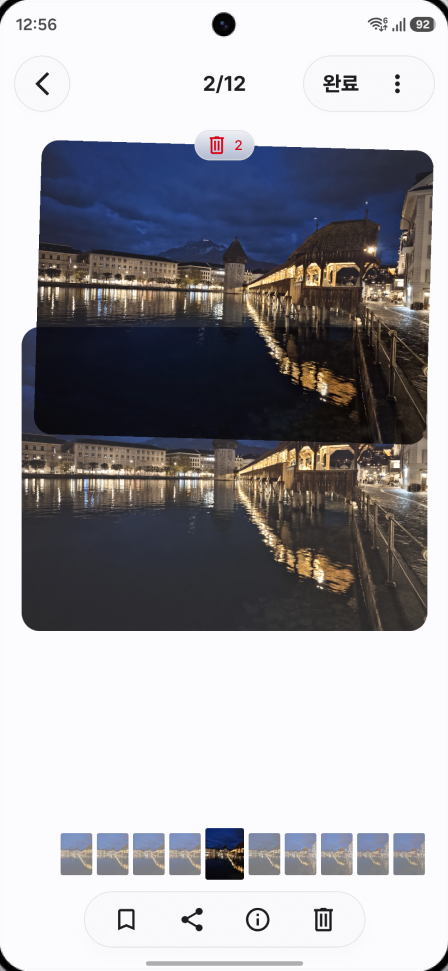
Flick through a session like a card deck and decide photo by photo. Pinch to compare focus and expression, and jump around with the filmstrip at the bottom.
 Declutter
한국어
Declutter
한국어
Coming soon to Google Play
Photos taken back-to-back are grouped into sessions automatically. Pick the keepers in each one and move on.
Notify me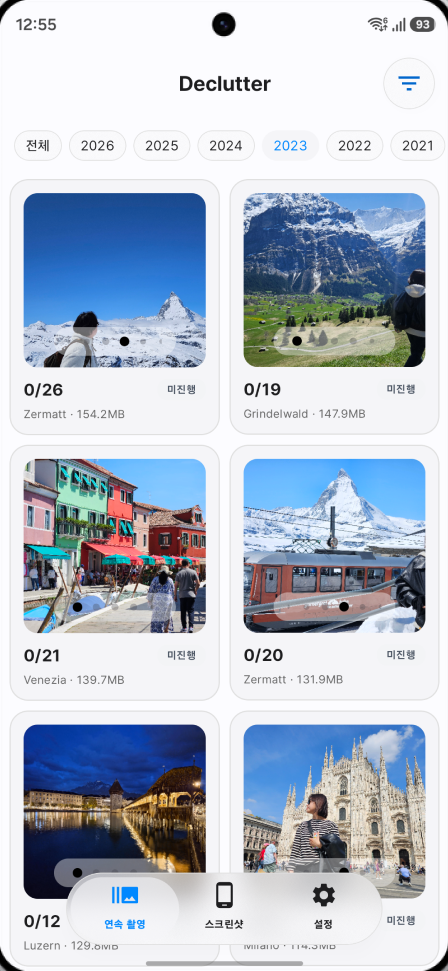
Zoom in, compare, keep what matters
Flick through a session like a card deck and decide photo by photo. Pinch to compare focus and expression, and jump around with the filmstrip at the bottom.
Everything you picked goes to the trash together
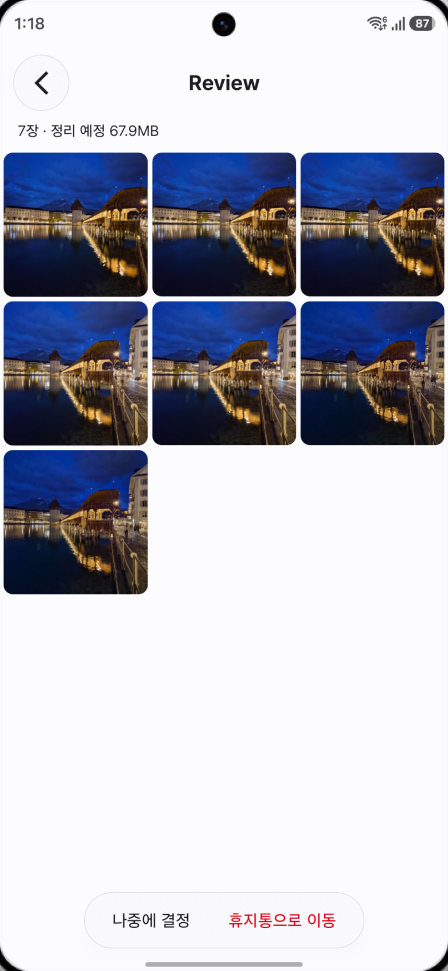
Photos you mark Remove wait in To remove first. Nothing happens to the files until you take a last look and tap Move to trash.
Messenger and social screenshots, each in their own pile
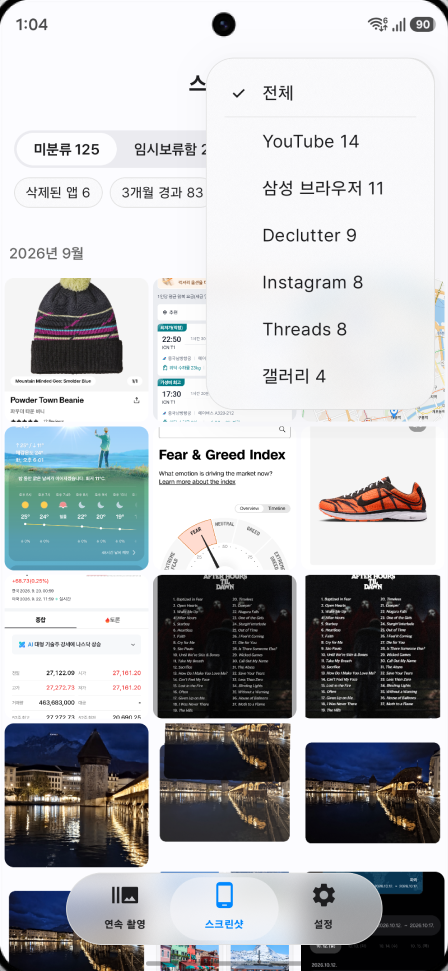
Filter screenshots by the app they came from. Pull out the ones from apps you've uninstalled or ones older than three months, and send keepers to your usual folders.
23 photos marked Remove
One confirmation. Done.
Move 23 photos to trash?
CancelMove
Everything is open for the first 3 days after install.
First 3 days
Free
One-time purchase
Purchases go through Google Play, priced in your local currency. Free limits reset at midnight.
Leave your email and we'll write once, the day Declutter lands on Google Play.